
Spray records on your phone: what to record and how
What a good spray record holds, and how to keep one in Phase from the paddock in a few taps, with the weather, the products and the stock filled in for you.
A spray record is the one piece of farm paperwork nobody wants to redo from memory. It is also the one most likely to be asked for later: by an auditor, a neighbour, a grain buyer or your own agronomist. This guide covers what a good record holds, and how to keep one without a notebook in the ute.
What a good spray record holds
The exact rules depend on where you farm and what you are spraying. Each state sets its own record-keeping requirements, and some product labels add their own. Check with your state's regulator and read the label for what applies to you. Whatever the rule, a record that answers these questions will stand up:
- Where. The paddock, and the area actually sprayed if it was not all of it.
- When. The date the job was done, not the date it was written up.
- What. Every product in the tank, with the rate for each.
- How. The water rate, the nozzle and the droplet size.
- In what weather. Wind speed and direction, temperature, humidity and Delta T at the time.
- Who. The operator.
Most records that fall short are missing the weather or the nozzle, because those are the hardest to remember that night.
Start from the plan, not a blank form
The quickest record is one that is mostly written before the sprayer leaves the shed. In Phase, a spray is planned on the paddock first: the products, the rates and the water rate. When the job is done, you open it and press Mark done. The record opens already filled in from the plan, and you only correct what changed on the day.
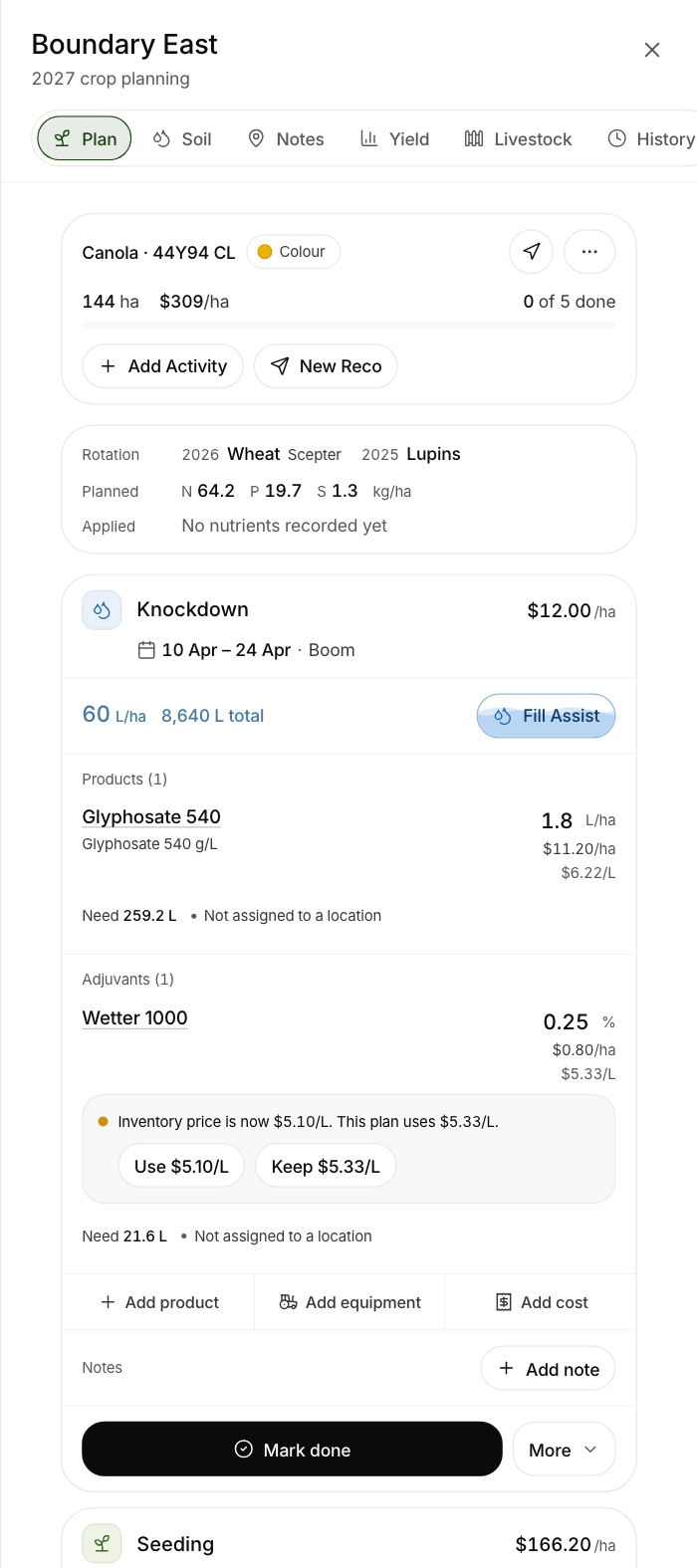
The same works from a phone in the cab or a computer in the office. It is the same form on both.
What you check before you save
Mark done opens one form. Before you press Complete, look over:
- Date. Set it to the day the work was done. That date drives the withholding and plant-back checks and every report.
- Area done. Lower it for a patch spray or a part paddock. The cost and the stock follow the area you enter.
- Actual quantities. Do not wave the planned amounts through. Change any product or rate that was different on the day.
- Operator. Who did the job.
- Weather. With a weather station connected, Phase looks up the station's reading from the time of the job and fills in temperature, wind, direction and humidity. You can change the numbers before you save.
- Deduct from inventory. Leave it on and the chemical comes off your stock on hand.
Add a note if there is something worth remembering, such as a strip missed by the dam. Then press Complete. The spray record, every product line and the stock all save together, or none of them do, so a dropped signal in the paddock cannot leave half a record behind.
The nozzle and droplet size
On a spray job you can name the nozzle, choose its ISO size, and set the water rate and droplet size. Phase shows the nozzle's standard colour beside it, so an 03 reads blue and an 04 reads red. Save the nozzles you use and they are one tap away on the next job. A nozzle set on the planned spray carries through to the finished record.
The same job on ten paddocks
A knockdown rarely goes on one paddock. After you complete a job, Phase offers the other paddocks with the same job planned. Untick any that were not done, change the area on any that were only part done, and they are all recorded in one go.
Fixing a record properly
Mistakes happen. A spray record should never be changed quietly, so Phase does not let that happen. Edit what was applied corrects a product, a rate or an area, and every correction adds a line to the record saying who changed what, and when. That line prints on the record under Record changes.
Getting records out again
Reports → Spray Records lists them. Filter by farm, paddock or product type, and turn on Show season totals per paddock to see how much of each product went on each paddock across the season. Download the lot as a PDF, an Excel workbook or a CSV for whoever is asking.
Letting the sprayer write it
If your sprayer reports to John Deere Operations Center, Phase Ultra can go one step further. The finished job arrives in Phase already matched to the paddock, the planned spray and the products in your inventory, with the weather from your station at the time of the job. You check it and confirm, and the record, the plan and the stock update together.
Phase works on any make of machinery without that connection. Marking a job done by hand takes a few taps and makes the same record.
Picking the window in the first place
A good record starts with spraying in the right conditions. The Conditions outlook in Phase scores each hour ahead for spraying against your own limits for wind, gusts, Delta T and rain chance. Set the limits once and the outlook shows which hours are within them.
Try it on one paddock
The easiest way to judge this is to record one real job. Start a 14-day trial, add a paddock, plan a spray and mark it done. If you are new here, What is Phase covers the rest of what it does.