
Machinery service reminders that follow engine hours
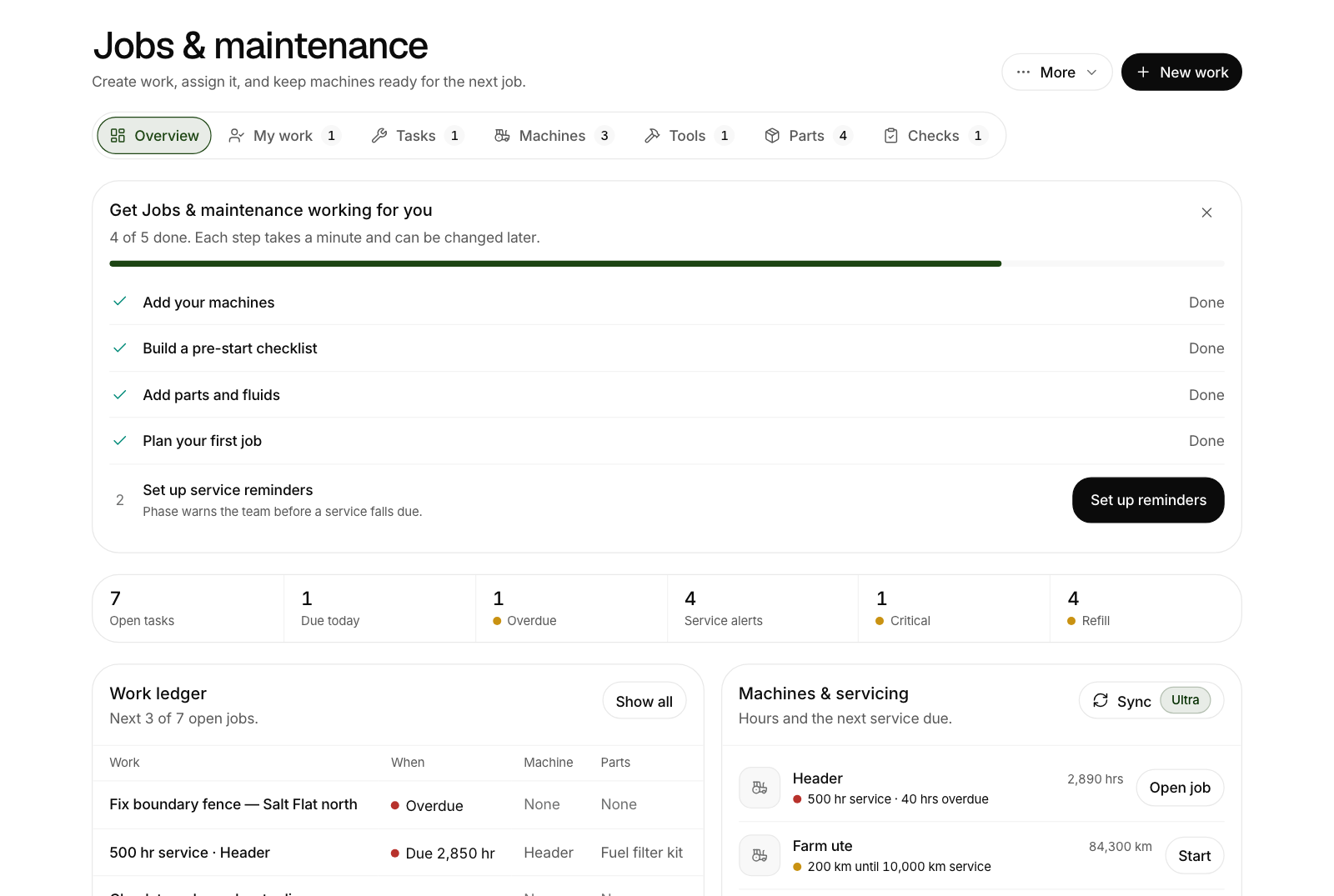
Set a service reminder by engine hours and Phase raises the job, with its checklist and parts, for the right person. Hours can update themselves from connected machines.
A service that is done late costs more than the service. The reason it gets missed is rarely laziness. It is that the reminder lives on a sticker in a cab, the hours live on a dash, and the person who would do the job is three paddocks away.
Phase ties those three things together.
A reminder counts hours, not dates
In Jobs & Maintenance, each machine has service reminders. A reminder is set by the meter: a 250 hour service, a 500 hour service, or by kilometres for a ute or truck. Phase counts from the machine's current reading and shows what is due, due soon or overdue.
The job raises itself
When a service comes due soon, Phase puts the job into Jobs & Maintenance on its own, with the reminder's checklist and the parts it needs. If nobody has started it by the time the service falls due, the job becomes urgent.
It goes to the right person
A job in nobody's list does not get done. Each machine has Service jobs go to, where you pick a person. Every service job Phase raises for that machine lands in their work list, and they get a notice, once.
With machines grouped by type, you can set one person for a whole group, such as all the utes.
The fleet at a glance
The Machines tab shows the fleet in groups: tractors, headers, sprayers, seeders, spreaders, implements, trailers, trucks, utes and stationary gear such as compressors and generators. Each group heading says what needs looking at, for example "1 service due, 2 due soon".
Hours that update themselves
Reminders are only as good as the hours behind them. You can always type a machine's hours in, on any make.
On Phase Ultra, hours can also come in by themselves:
- From connected John Deere machines.
- From CNH FieldOps, which covers Case IH, New Holland and STEYR.
Hours refresh overnight, shortly before Phase works out the day's service reminders, so a reminder goes by last night's hours even if nobody has opened Phase. The meter only ever moves forward. If the machine reports fewer hours than Phase already has, Phase leaves it alone and tells you.
Logging the service
When the work is done, log the service on the day it was done, with the hours from that day. If a workshop did it, upload their invoice as a PDF or a photo and it becomes the service record on that machine, with the parts it used.
Getting started
- Add your machines, or import them from a connected machinery account.
- Add a service reminder to each one. An import can add a starter 250 hour reminder for you.
- Choose who each machine's service jobs go to.
From there the reminders look after themselves.
Machinery in the same place as the rest of the farm
Because Phase is one app for the whole farm, a machine's record is not cut off from the work it does. Its services, parts, fuel and hours sit together, and the Machine Use report adds up hours, hectares and running cost by machine for the season. For the fuel side, see a farm fuel log that checks itself.
Phase is independent of the machinery businesses named here. A name shows what Phase connects to, not endorsement, and the names are trademarks of their respective owners.